Artistic Brush Stroke Canva Frames: Real-World Applications
There's a certain energy that comes from a real paint stroke. It's not perfect. It's not sterile. It carries the mark of a human hand, a moment of creative impulse. Translating that feeling into digital design is a challenge many of us face. We want our work to feel authentic, textured, and alive, but we're often limited by the clean, predictable lines of standard digital assets. This is where the concept of Artistic Brush Stroke Canva Frames becomes a practical solution for designers and creators.
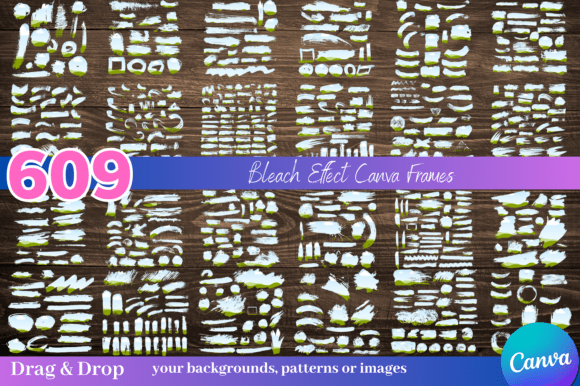
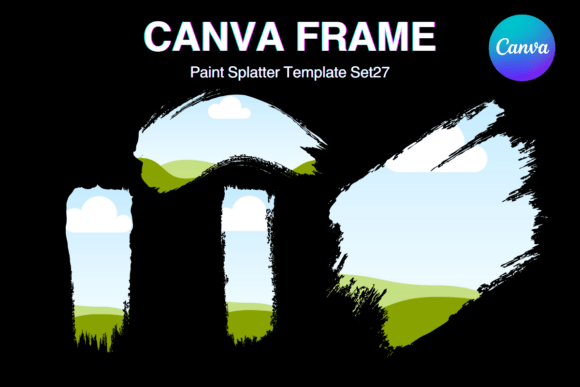
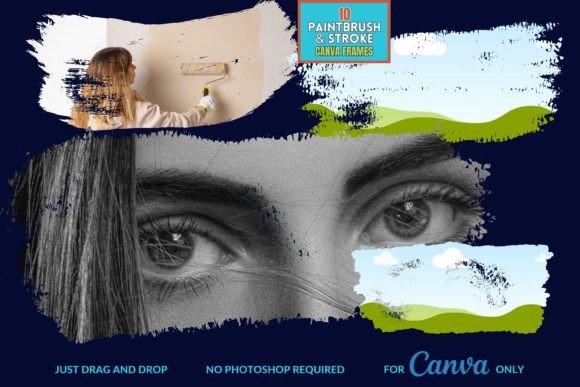
This collection of 10 editable templates is built around the visual language of paint. Think of the bristles of a brush dragging through pigment, leaving behind a trail of texture, varying opacity, and dynamic edge. These aren't static, cookie-cutter borders. Each frame in the set mimics the organic movement of a real brushstroke, offering a range of styles from bold, energetic sweeps to softer, more blended applications. The visual personality is inherently artistic, expressive, and slightly imperfect in the best way. It feels handmade, which immediately adds a layer of warmth and approachability to any design.
Where Painterly Frames Make the Biggest Impact
The real value of a design asset is measured by its utility. These frames excel in scenarios where you need to inject personality and break through the visual noise of a crowded digital space. They are particularly effective for creating social media graphics that stop the scroll. Imagine an Instagram story announcing a new product launch, with the product image nestled within a vibrant, energetic brushstroke frame. It instantly feels more dynamic and engaging than a standard square crop.
For brand identity and logo design, especially for brands in the creative, wellness, artisanal, or boutique sectors, these frames can inform the entire visual system. A single, distinctive brushstroke can become a recurring motif in packaging, website banners, and business cards. This builds a cohesive and recognizable brand identity that feels curated and intentional. The texture communicates craftsmanship and attention to detail, qualities that resonate deeply with audiences.
In editorial design and publishing, they offer a solution for creating compelling chapter openers, pull quotes, or featured image borders in digital magazines and blogs. The painterly effect can guide the reader's eye and add a thematic layer that aligns with the content's tone. For packaging design, a brushstroke frame can highlight a key ingredient, a brand name, or a special feature, making the product feel more premium and tactile, even in a digital mockup.
Integrating Texture into Your Design Workflow
Working with these frames in Canva is straightforward, but a few practical considerations can elevate your results. The first step is always to evaluate project fit. Ask yourself: does the core message of this project benefit from an expressive, artistic touch? A corporate financial report might not be the best candidate, but a boutique bakery's menu, a yoga studio's class schedule, or a creative agency's portfolio piece absolutely could be.
Next, consider font pairing. The organic nature of these frames pairs beautifully with both serif fonts and sans serif fonts. A classic serif can create a sophisticated, almost gallery-like feel, while a clean sans serif provides a modern, balanced counterpoint to the frame's energy. Avoid pairing them with overly ornate script fonts or handwritten fonts, as this can lead to visual competition. The goal is harmony, not chaos.
Readability is paramount. The texture of the frame should enhance, not obscure, your core message. Use the frame to house a primary image or a headline, and place supporting text in clean, open areas of your layout. Test your designs at various sizes, particularly for mobile viewing, to ensure the text remains legible and the visual hierarchy is clear. The frame should act as a supporting actor, not the lead, unless the frame itself is the artistic statement.
From Digital Template to Physical Masterpiece
One of the most compelling aspects of this collection is its versatility across mediums. The instruction to "print them out for a physical masterpiece" isn't just hyperbole. These frames translate exceptionally well to print. Consider using them for:
- Event Invitations: Create stunning, textured wedding or party invitations that feel personal and bespoke.
- Art Prints: Frame your own digital illustrations or photography within a brushstroke to create a cohesive series of printable art.
- Marketing Collateral: Design brochures, flyers, or thank-you cards for your small business that stand out with a tactile, artistic quality.
The key is to leverage the frame's inherent style to support your project's goal. Use a bold, high-contrast stroke for impact and a softer, watercolor-like stroke for subtlety. By viewing these Artistic Brush Stroke Canva Frames not as mere decorations but as versatile design assets, you unlock a powerful tool for adding depth, emotion, and a distinctly human touch to your creative work. They are a practical bridge between the digital convenience we need and the artistic authenticity we crave.