Design Your Graduation Memories: A Guide to Canva Frame Templates
Graduation season brings a flood of photos, announcements, and social media posts. The challenge isn't capturing the moment—it's presenting it in a way that feels polished, personal, and celebratory. That's where a well-designed frame template comes in. Instead of wrestling with complex software or settling for generic designs, you can use a dedicated Graduation Canva Frame Template Design to create professional-looking graphics in minutes.
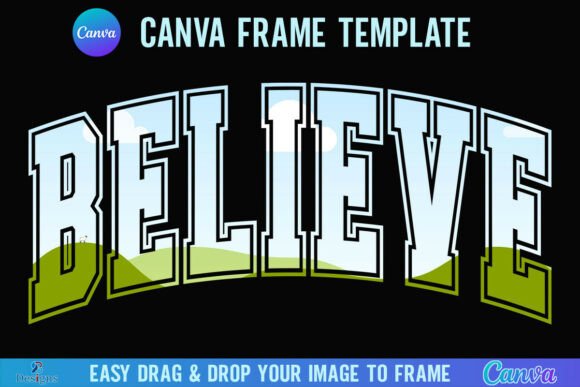
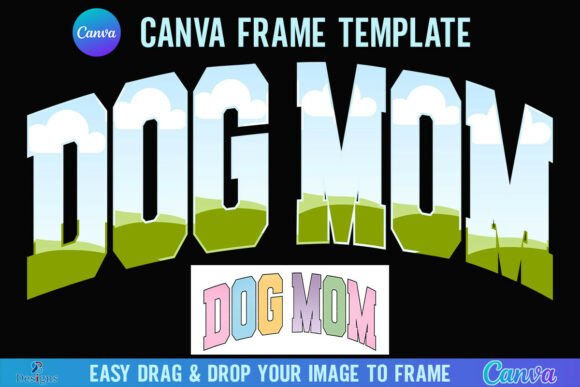
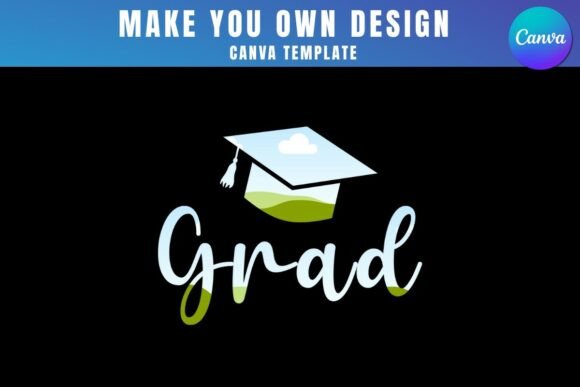
This design asset is more than just a decorative border. It's a structured, editable template built inside Canva, the popular online design platform. Inside the provided zip file, you'll find a PDF with a direct link to access the templates. Clicking that link opens them directly in your Canva account. From there, the process is straightforward: drag and drop your own PNG or JPG background images—like a photo of the graduate—into the pre-made frames. The template handles the composition, styling, and overall aesthetic, letting you focus on the personal touch.
What Makes This Template Style Effective?
The visual personality of a graduation frame needs to balance celebration with sophistication. It should feel festive without being childish, and timeless without being boring. A good template in this category often employs a mix of serif font elements for a classic, academic feel and sans serif font components for clean, modern readability. You might find subtle script font accents for names or dates, adding a personalized, elegant touch that mimics a handwritten note.
The overall appeal lies in its versatility. The frames are designed to be a supporting actor, not the star. They provide a structured space—perhaps with a laurel wreath, a subtle diploma scroll, or a minimalist geometric border—that elevates the photo or announcement text placed inside. This approach aligns with strong modern typography principles: the frame enhances the content's hierarchy and visual flow without overwhelming it. It’s a practical example of how design assets can streamline a project while maintaining a high-quality, cohesive brand identity for your personal or professional communications.
Practical Applications for Graduation Frame Templates
The real-world value of a Graduation Canva Frame Template Design extends far beyond a single use case. For designers and entrepreneurs, it's a time-saving tool that can be repurposed for clients in the education sector, tutoring services, or even party planning businesses. Marketers can use it to create quick, engaging social media graphics for schools, universities, or corporate training program announcements. The ability to quickly produce on-brand visuals is a key part of an effective social media graphics strategy.
For bloggers, publishers, and content creators, these templates are perfect for crafting featured images for articles about education, advice for graduates, or personal milestone posts. Crafters and hobbyists will find them invaluable for creating custom party invitations, thank-you cards, or photo collages for scrapbooks. Small business owners in the gifting, photography, or event planning niches can use them to develop packaging design elements, promotional materials, or digital product mockups. The template becomes a foundational piece in a larger creative font and asset library, ensuring consistency across all graduation-themed projects.
Working with the Template: Key Considerations
Before diving in, a few practical points will ensure a smooth workflow. First, a free Canva account is all you need to open and edit the templates. The interface is intuitive, making it accessible even for those with minimal design experience. However, if your project requires a transparent background—for example, to layer the frame over a complex design in another program—you will need a Canva Pro or higher subscription. This is a common requirement for more advanced logo design or editorial design work where assets need to integrate seamlessly.
It’s also crucial to understand the product's scope. This is a digital product; no physical items are shipped. The templates are exclusively designed for Canva. They are not compatible with SVG format or with cutting machines like Cricut or Silhouette. This specificity is actually a strength, as it ensures the templates are optimized for the platform they're built on, leveraging Canva's powerful editing tools without compromise. When selecting your background images, use high-resolution PNGs or JPGs for the best print and digital results. The template’s structure will guide the visual hierarchy, ensuring your focal point—the graduate's photo or name—remains prominent and engaging.
Integrating into Your Broader Design Workflow
Think of this template not as a one-off trick, but as a component in your creative toolkit. A well-chosen premium font or display font included within the template can influence the entire tone of your project. For instance, a bold, modern sans serif might project confidence and forward momentum, ideal for a graduate entering the workforce. A refined serif could evoke tradition and academic achievement. Understanding how these typeface choices affect brand perception and audience engagement is what separates good design from great design.
When using the frame, consider your font pairing strategy if you're adding custom text. The template likely provides a starting point, but you may want to match it with fonts used in other materials for consistency. Test how the frame interacts with your chosen color palette. Does it complement or clash? The goal is to create a cohesive piece that strengthens your overall message, whether for a personal celebration or a commercial campaign. By treating the Graduation Canva Frame Template Design as a strategic design asset, you move beyond simple decoration and into the realm of effective visual communication, ensuring your graduation projects are both beautiful and impactful.